
01
Scattered information
Bring agreed job, billing and support records into one consistent view.
Job records, billing exports, and supporting files rarely arrive in one neat report. We help turn that recurring work into a checked Excel process your office can actually use.
Free initial inquiry Email-first No confidential files to start
Work-order status · Office review
WHAT WE FIX
We start with a single weekly or monthly report—not a replacement for your accounting software.
Bring agreed job, billing and support records into one consistent view.
Flag missing evidence, duplicates and mismatches before they disappear into a report.
Leave your team with a defined refresh routine and clear instructions.
SEE THE WORK
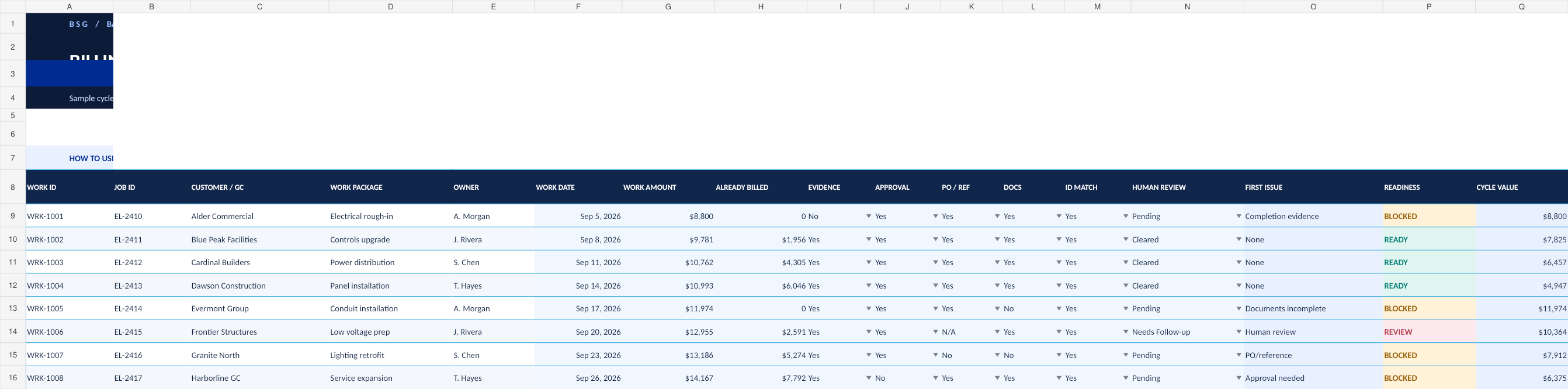
This downloadable Excel example uses 32 fictional work items and formula-driven checks. No live imports or AI model were used; it isn't client work.
Within the fictional cycle: 14 blocked · 8 require review · 1 has a value discrepancy. These are distinct work-item statuses.
*The $104,781 is a fictional net candidate value, not approved billing or recovered revenue. “Ready” means ready for internal review only. Supporting document suggestions in the workbook are illustrative, not the output of a real AI model.
Download fictional Excel workbook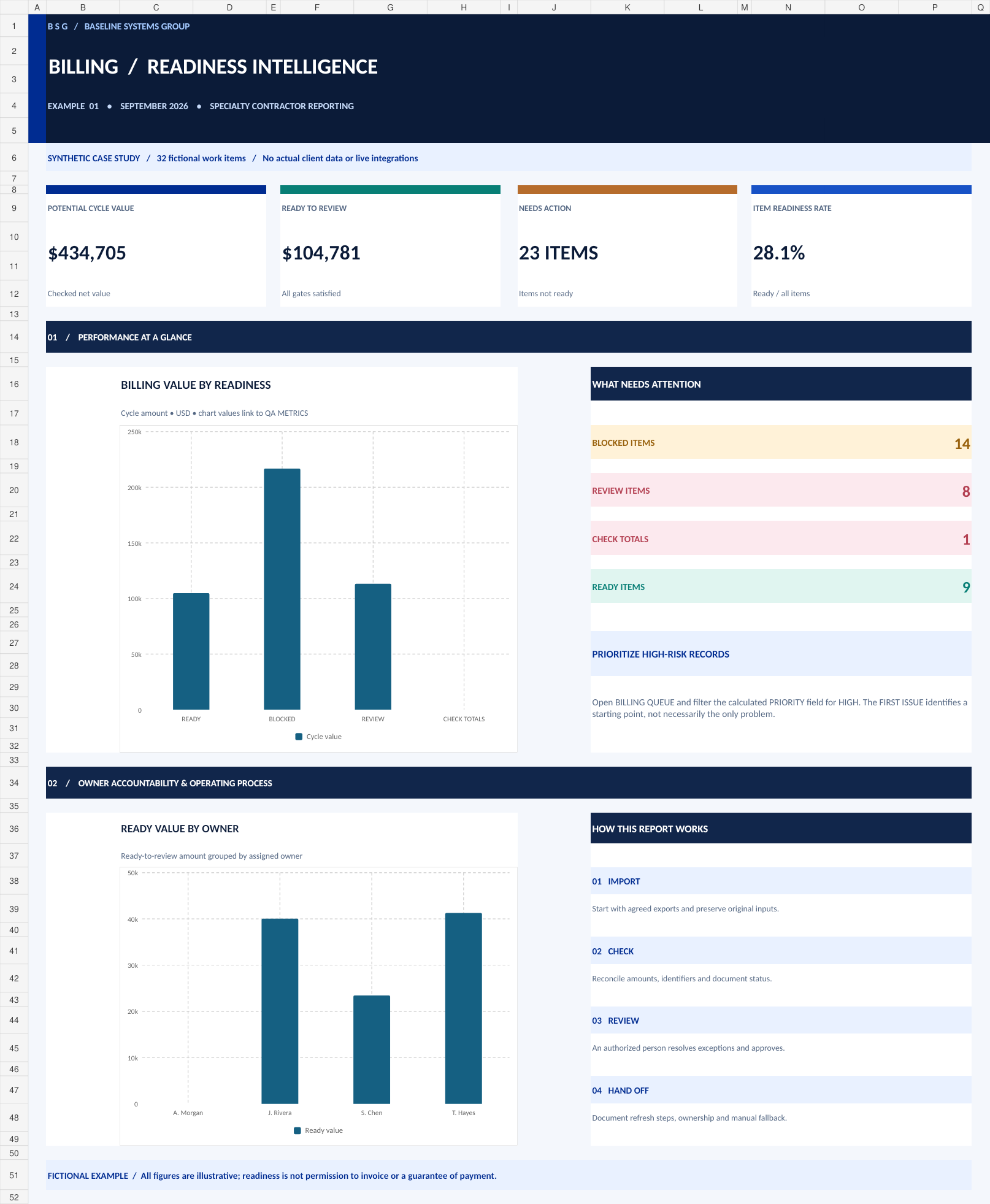
HOW WE WORK
Most projects can begin and move forward in writing. You see the scope and price before you commit.
Tell us which report takes time and what's going wrong. The initial inquiry is free.
We ask focused questions by email and agree on a safe way to review examples if needed.
You receive a written proposal with deliverables, limitations, timing and price. Extensive diagnosis may be quoted separately.
We check the report against the agreed records and provide refresh instructions for your team.
Meetings are optional. Written requirements, screenshots and secure file sharing come first. Some projects may need a call to clarify the work.
A DIRECT POINT OF CONTACT
Expert in Business Automation & Systems. Focused on practical reporting, clear scope and a clean handoff.
QUESTIONS, ANSWERED
No long sales presentation. Just what you need to know before reaching out.
Yes. Tell us about the problem and we'll respond with an initial fit assessment. A detailed technical review may be separately quoted, but only with your agreement.
Not as part of our starting approach. We look at existing exports and workflows first. If your current software already solves the problem, we'll say so.
It depends on the report, source files and complexity. You'll receive a written scope and price before paid work begins.
No. Start with a description. If examples are needed, we'll discuss redaction and an approved transfer method before any sensitive files are shared.
No mandatory introductory call. Email-first communication works for suitable projects; a call is available when it genuinely helps.
The refresh method depends on the tools and source data. This demonstration updates from editable Excel inputs; its source log is illustrative, not a live import or unattended automation. We'll only propose automated connections when we can test the complete workflow.
We consider narrowly defined automation or AI tasks when they make sense and can be evaluated safely. The starting service is one reliable recurring report—not an open-ended systems overhaul.
START HERE
Tell us which report your team prepares, what gets in the way, and what you'd like to see more clearly.
There's no obligation to proceed. We aim to acknowledge new inquiries within two business days, Monday–Friday.
Open the request formPlease don't send passwords, bank details, payroll, raw financial exports or other confidential records through a public form.
Prefer email? rj@baselinesystemsgroup.com